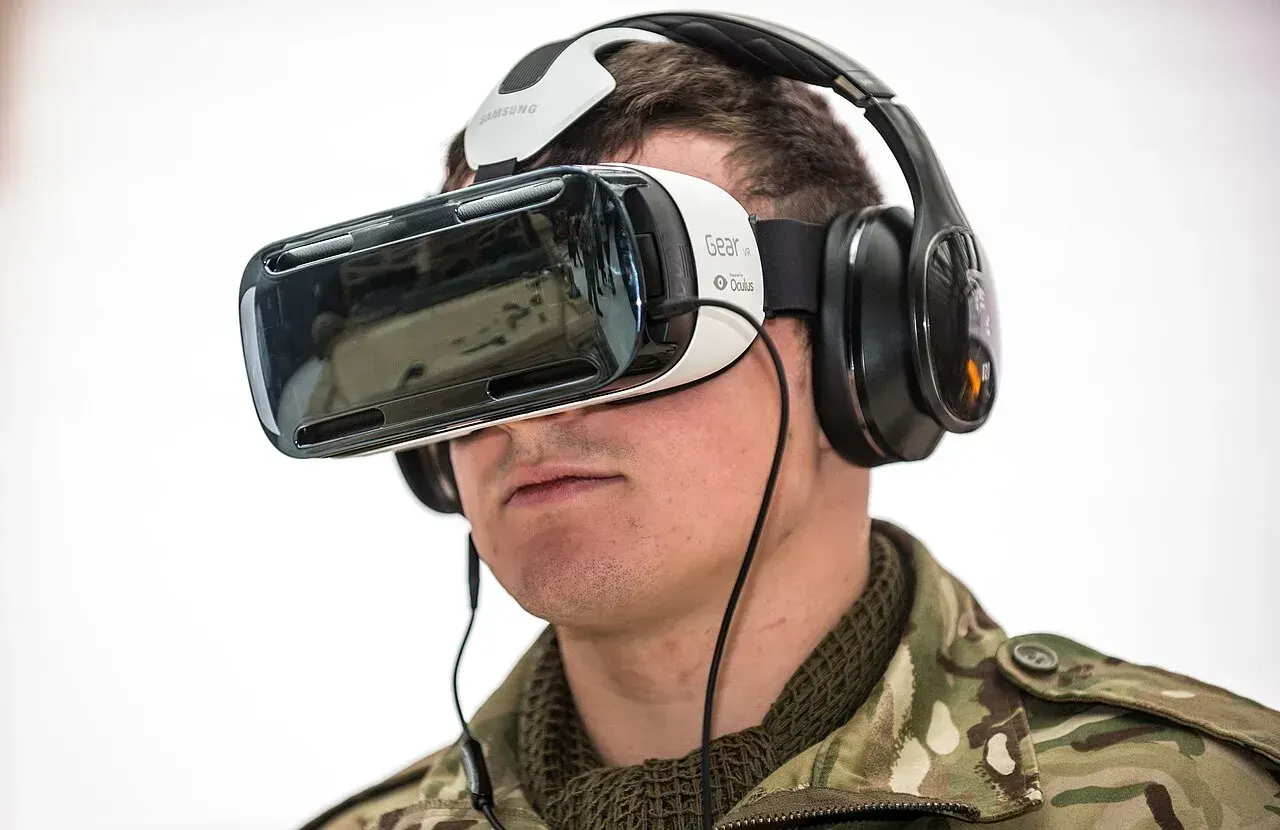
Table of Contents
Audio forms the invisible half of flight simulation immersion. While stunning visuals capture attention in screenshots and videos, sound creates the continuous environmental awareness that transforms simulation from visual spectacle into convincing experience. The rumble of engines at startup, the whistle of wind over control surfaces, the crackle of radio communications, the subtle clicks and whirs of cockpit systems—these audio elements tell you that you're flying even when your eyes focus elsewhere.
Selecting appropriate audio equipment for flight simulation involves considerations distinct from general gaming or music listening. Flight simulators produce complex soundscapes combining engine noise across multiple frequency ranges, environmental sounds requiring spatial positioning, radio communications demanding clarity over fidelity, and cockpit system sounds providing operational feedback. The ideal headset balances these diverse requirements while remaining comfortable across the extended sessions that flight simulation typically involves.
Whether you're establishing your first simulation setup or upgrading existing equipment, understanding how audio equipment affects flight simulation experience enables informed purchasing decisions. This comprehensive guide examines headphones and headsets specifically for flight simulation applications, covering selection criteria, setup optimization, and integration with broader cockpit environments. From budget-conscious options to premium solutions, you'll find guidance for creating the audio environment that best serves your simulation goals.
Understanding Audio in Flight Simulation

Why Audio Matters for Flight Simulators
Sound in flight simulation serves purposes beyond entertainment—it provides essential operational information that pilots rely upon during actual flight.
Engine monitoring traditionally occurred partly through sound. Pilots learn to recognize healthy engine operation aurally, detecting changes in pitch, rhythm, or tone that might indicate problems. While modern simulators display engine parameters visually, the audio component adds dimension to this monitoring. Hearing engine sounds respond to throttle inputs reinforces the connection between pilot actions and aircraft response.
Spatial awareness develops through audio cues. The direction and intensity of sounds—wind noise, engine placement, external traffic—contribute to overall situational awareness. Quality spatial audio can alert you to traffic position, help you perceive aircraft attitude, and create the environmental awareness that characterizes actual flight.
Radio communications in flight simulation, particularly on online networks like VATSIM or IVAO, require clear audio for effective participation. Understanding controller instructions, responding appropriately, and maintaining awareness of other traffic all depend on communication clarity. Poor audio equipment undermines this fundamental aspect of realistic simulation.
Immersion and presence emerge from convincing environmental sound. When audio accurately represents the simulated environment—appropriate engine sounds, realistic wind noise, proper cockpit ambiance—the psychological sense of "being there" intensifies. This immersion transforms simulation from technical exercise into engaging experience.
Feedback and cues from cockpit systems communicate aircraft state. Warning sounds, switch clicks, hydraulic noises, and system operation sounds all provide information pilots use to maintain awareness. Missing or poorly reproduced system sounds remove operational cues that contribute to procedural realism.
The Unique Audio Demands of Flight Simulation
Flight simulation audio differs from typical gaming or entertainment audio in ways that affect equipment selection.
- Frequency range requirements span from deep engine rumble to high-frequency radio communications. Aviation headsets used in actual aircraft emphasize the voice frequency range for communication clarity, sometimes at the expense of full-range reproduction. Simulation can benefit from broader frequency response that captures both communication clarity and environmental depth.
- Extended listening duration characterizes flight simulation sessions. A single flight might last several hours, and enthusiasts often fly multiple sessions weekly. Comfort over these extended periods matters more than for shorter gaming sessions. Headsets that feel fine for an hour may become uncomfortable over three-hour flights.
- Communication quality for online flying requires clear microphone performance. VATSIM and similar networks involve voice communication with human controllers. Unclear transmission wastes controller time, creates misunderstanding, and detracts from professional network operation. Microphone quality deserves equal consideration to speaker quality.
- Background noise management helps maintain immersion. External sounds from your physical environment—computer fans, household noise, family activity—can intrude upon the simulated soundscape. Noise isolation or cancellation capabilities help preserve the audio environment you're trying to create.
- Integration requirements with other simulation equipment affect practical usability. Your headset must coexist with yokes, throttle quadrants, and potentially VR equipment. Cable routing, wireless reliability, and physical compatibility with your cockpit configuration all matter.
Types of Audio Equipment for Simulation
Several categories of audio equipment serve flight simulation, each with distinct characteristics.
- Over-ear headphones enclose your ears within cushioned cups, providing good isolation and typically excellent sound quality. This design distributes weight across the headband and creates a sealed environment for the drivers. Over-ear designs dominate flight simulation use due to comfort during extended sessions.
- On-ear headphones rest on your ears rather than surrounding them. While lighter, they typically provide less isolation and may become uncomfortable during long sessions due to pressure on the ear. Less common for serious simulation use.
- Gaming headsets combine headphones with integrated microphones, designed primarily for computer gaming. These products often include surround sound processing, RGB lighting, and gaming-oriented aesthetics. Quality varies enormously across this category.
- Aviation headsets designed for actual aircraft operation prioritize communication clarity and noise reduction in loud cockpit environments. These specialized products may work well for simulation but often sacrifice audio fidelity for communication focus. Pricing typically exceeds gaming equivalents.
- Studio headphones designed for audio production offer excellent sound reproduction but typically lack microphones. Using separate microphone equipment alongside studio headphones represents one approach to simulation audio.
- Earbuds and in-ear monitors fit within the ear canal. While convenient, they rarely provide the comfort or audio quality preferred for extended simulation sessions. Occasional use possible but not ideal for serious simulation.
What Are the Best Headsets for Flight Simulator Setup?
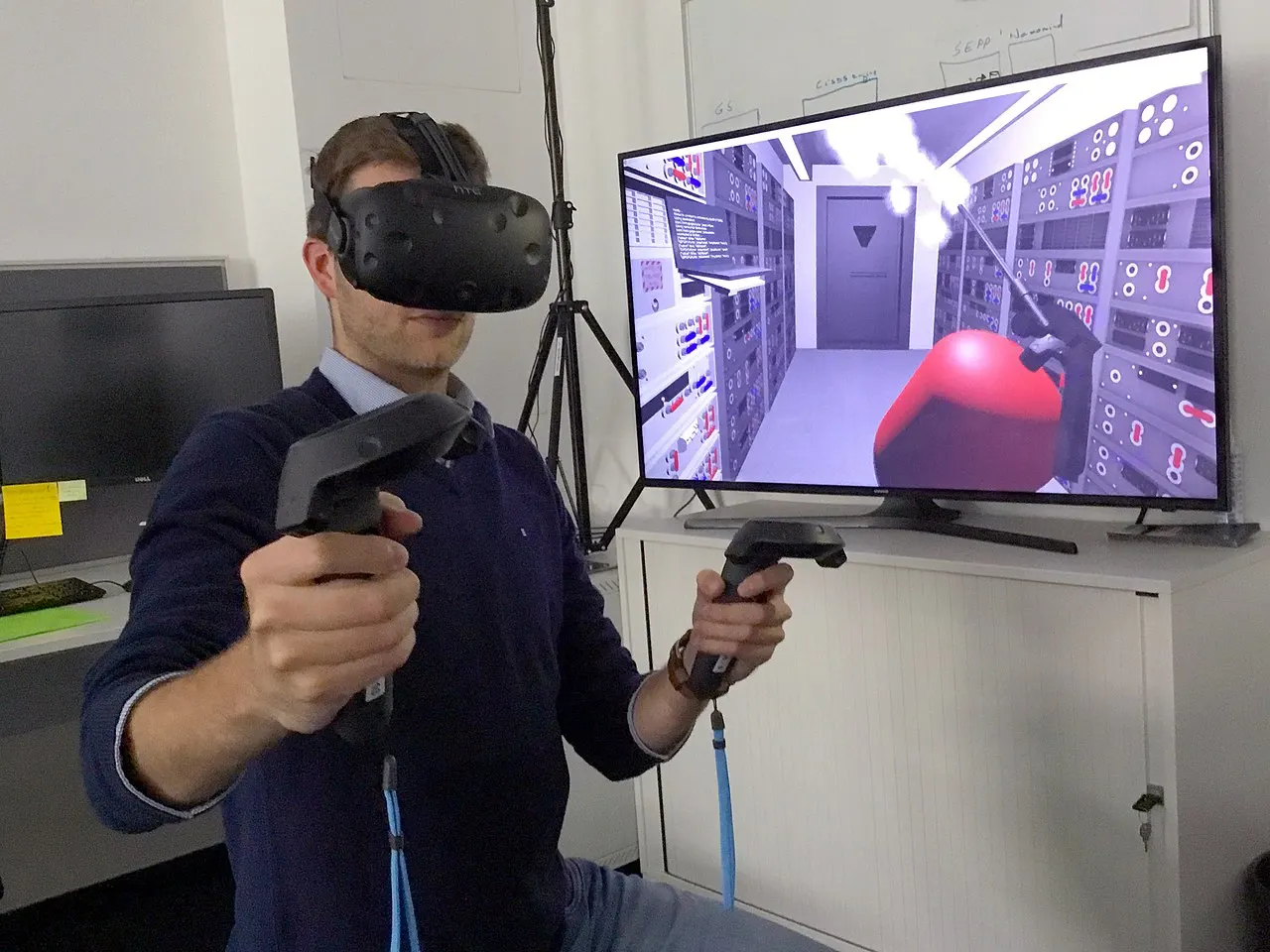
How to Choose the Right Headset for Flight Sim
Selecting appropriate simulation audio equipment requires evaluating multiple factors against your specific priorities and constraints.
Sound quality assessment involves understanding what "quality" means for simulation specifically. Pure audiophile quality—neutral frequency response revealing recording details—matters less than engaging simulation sound. Some bass emphasis may enhance engine rumble perception. Clear midrange ensures communication intelligibility. Reasonable treble extension reproduces environmental details without harshness during long sessions.
Specifications like frequency response, impedance, and sensitivity provide some guidance but don't tell the complete story. Reading reviews from flight simulation users specifically helps identify equipment performing well in simulation contexts.
Comfort evaluation deserves significant weight given simulation session lengths. Consider:
- Headband design: Padded headbands distribute weight more comfortably than minimal designs.
- Ear cup size: Cups fully surrounding ears (circumaural) typically feel better than smaller cups pressing on ears.
- Cushion materials: Memory foam and breathable fabrics outperform basic foam for extended wear.
- Clamping force: Firm enough to stay positioned, loose enough to avoid pressure headaches.
- Weight: Lighter headsets reduce fatigue during long sessions.
Unfortunately, comfort varies by head size and shape, making personal evaluation important if possible.
Microphone quality matters for online flying. Specifications help less than actual usage reports—background noise rejection, transmission clarity, and pickup pattern all affect real-world performance. Detachable microphones allow upgrade flexibility; built-in microphones offer convenience.
Connection type affects compatibility and potentially quality:
- USB: Simple plug-and-play; includes digital-to-analog conversion on headset; wide compatibility.
- 3.5mm analog: Traditional connection; relies on your sound card quality; universal compatibility.
- Wireless (2.4GHz or Bluetooth): Freedom from cables; potential latency concerns for some products; battery management required.
Build quality determines longevity. Flight simulation equipment sees regular, extended use. Plastic construction may suffice at lower price points, but metal reinforcement and quality hinges extend product life significantly.
Budget alignment requires balancing desires against resources. Excellent simulation audio is possible across wide price ranges. Spending more typically buys better materials, sound quality, and durability, but diminishing returns apply at premium levels.
Entry-Level Headset Options ($30-80)
Budget-conscious options can still provide acceptable simulation audio.
HyperX Cloud Stinger (~$50) offers surprising quality at entry pricing:
- Comfortable lightweight design.
- Decent sound quality for the price.
- Rotating ear cups for convenience.
- Swivel-to-mute microphone.
- Durable build quality.
The Cloud Stinger provides good value for those starting flight simulation or maintaining strict budgets. Sound quality and comfort both exceed typical expectations at this price point.
Logitech G335 (~$50) presents another entry option:
- Lightweight design emphasizing comfort.
- Decent sound reproduction.
- Flip-to-mute microphone.
- Multiple color options.
- Reasonable build quality.
Entry-level products require accepting some compromises—less detailed sound, simpler materials, shorter lifespan—but modern manufacturing makes functional equipment accessible at low prices.
Corsair HS35 (~$40) serves absolute minimum budgets:
- Basic but functional sound.
- Acceptable comfort for moderate sessions.
- Detachable microphone.
- Multiplatform compatibility.
- Adequate for getting started.
At entry level, prioritize comfort and basic functionality over advanced features. Any working headset beats none, and you can upgrade as simulation involvement deepens.
Mid-Range Headset Options ($80-200)
The mid-range represents the sweet spot for many simulation enthusiasts, offering significant quality improvements over entry products without premium pricing.
HyperX Cloud II (~$100) has earned widespread recommendation:
- Excellent sound quality for the price.
- Very comfortable for extended sessions.
- Quality detachable microphone.
- USB sound card included (also works with analog connection).
- Durable aluminum frame construction.
- Memory foam ear cushions.
The Cloud II's combination of comfort, sound quality, and build quality makes it perhaps the most commonly recommended headset for flight simulation at any price point. The included USB sound card provides consistent quality regardless of motherboard audio capabilities.
Logitech G Pro X (~$130) targets serious gamers and works well for simulation:
- Excellent sound quality with customizable EQ.
- Blue Voice microphone technology for clear communication.
- Comfortable design with memory foam.
- Detachable microphone.
- Software customization options.
- Premium build quality.
The G Pro X's microphone quality particularly benefits VATSIM users who want clear transmissions. Software allows audio profile customization that can optimize for simulation specifically.
SteelSeries Arctis 7 (~$150) offers wireless convenience:
- Good sound quality with reasonable bass.
- Comfortable ski goggle headband design.
- Retractable microphone with clear pickup.
- Long battery life (24+ hours).
- 2.4GHz wireless with minimal latency.
- Reasonable build quality.
For users who value cable-free operation, the Arctis 7 provides wireless quality matching wired alternatives. Battery life easily exceeds any realistic session length.
Beyerdynamic DT 770 Pro (~$150, requires separate microphone):
- Excellent sound quality exceeding gaming headsets.
- Legendary comfort for extended wear.
- Outstanding isolation from external noise.
- Built for professional use durability.
- Replaceable parts extend lifespan.
- Neutral, accurate sound reproduction.
The DT 770 represents the studio headphone approach—superior audio quality requires pairing with a separate microphone. For users prioritizing sound quality who already have or will acquire a separate microphone, the DT 770 excels.
Premium Headset Options ($200+)
Premium options provide the best available quality for users with appropriate budgets.
Audeze Maxwell (~$300):
- Planar magnetic drivers for exceptional audio.
- Extremely comfortable design.
- Excellent microphone quality.
- Wireless with Bluetooth and 2.4GHz options.
- Long battery life.
- Premium build throughout.
Planar magnetic technology provides audio quality fundamentally superior to typical dynamic drivers. The Maxwell combines this audiophile-grade sound with gaming headset convenience.
SteelSeries Arctis Nova Pro (~$350):
- High-fidelity audio with parametric EQ.
- Active noise cancellation.
- Premium comfort materials.
- Hot-swappable battery system (never runs out mid-session).
- Excellent microphone quality.
- Comprehensive software support.
The Nova Pro's hot-swap battery system addresses wireless concerns—you simply swap batteries rather than waiting for charging.
Sennheiser HD 600/650 (~$300-400, requires separate microphone):
- Reference-quality sound reproduction.
- Legendary comfort for extended listening.
- Open-back design provides natural soundstage.
- Build quality supports decade-plus lifespans.
- Replaceable components.
These open-back audiophile headphones provide sound quality beyond any gaming headset. The open-back design leaks sound both directions—you'll hear environmental noise and others will hear your audio—but the soundstage quality enhances immersion for some users.
Bose Aviation Headset A20 (~$1,100):
- Designed for actual aviation use.
- Active noise cancellation optimized for aircraft cockpits.
- Clear communication audio.
- Comfortable for extremely long wear.
- Built to aviation durability standards.
- Connects via standard aviation plugs (adapter needed for simulation).
For users wanting authentic aviation headset experience—perhaps actual pilots maintaining proficiency through simulation—genuine aviation headsets like the Bose A20 bring real-world equipment into simulation. The significant price reflects professional aviation-grade construction and performance.
Are USB Headsets Better for Flight Simulation?
The USB versus analog debate involves tradeoffs worth understanding.
USB headset advantages:
- Consistent quality: Built-in DAC (digital-to-analog converter) ensures consistent sound regardless of motherboard audio quality.
- Simplicity: Single cable, plug-and-play operation.
- Additional features: Many USB headsets include volume controls, mute buttons, and processing features.
- Isolation from electrical noise: Digital signal path avoids electrical interference.
Analog headset advantages:
- Potential for higher quality: Quality external DACs can exceed built-in USB DAC performance.
- Flexibility: Works with any audio source having appropriate output.
- Simplicity in a different way: No drivers, no digital processing, just direct analog signal.
- Lower latency potential: No digital processing delay (though USB latency is typically negligible).
Practical recommendation: For most flight simulation users, USB headsets provide convenience without meaningful quality sacrifice. The built-in DACs in quality USB headsets perform well, and simplicity has value. Users with high-end external audio equipment may prefer analog connection to leverage that investment.
Hybrid approach: Some headsets offer both USB and analog connections, allowing choice based on situation. This flexibility can be valuable if you use the headset across multiple applications.
How to Optimize Sound Settings for Immersive Flight Simulation
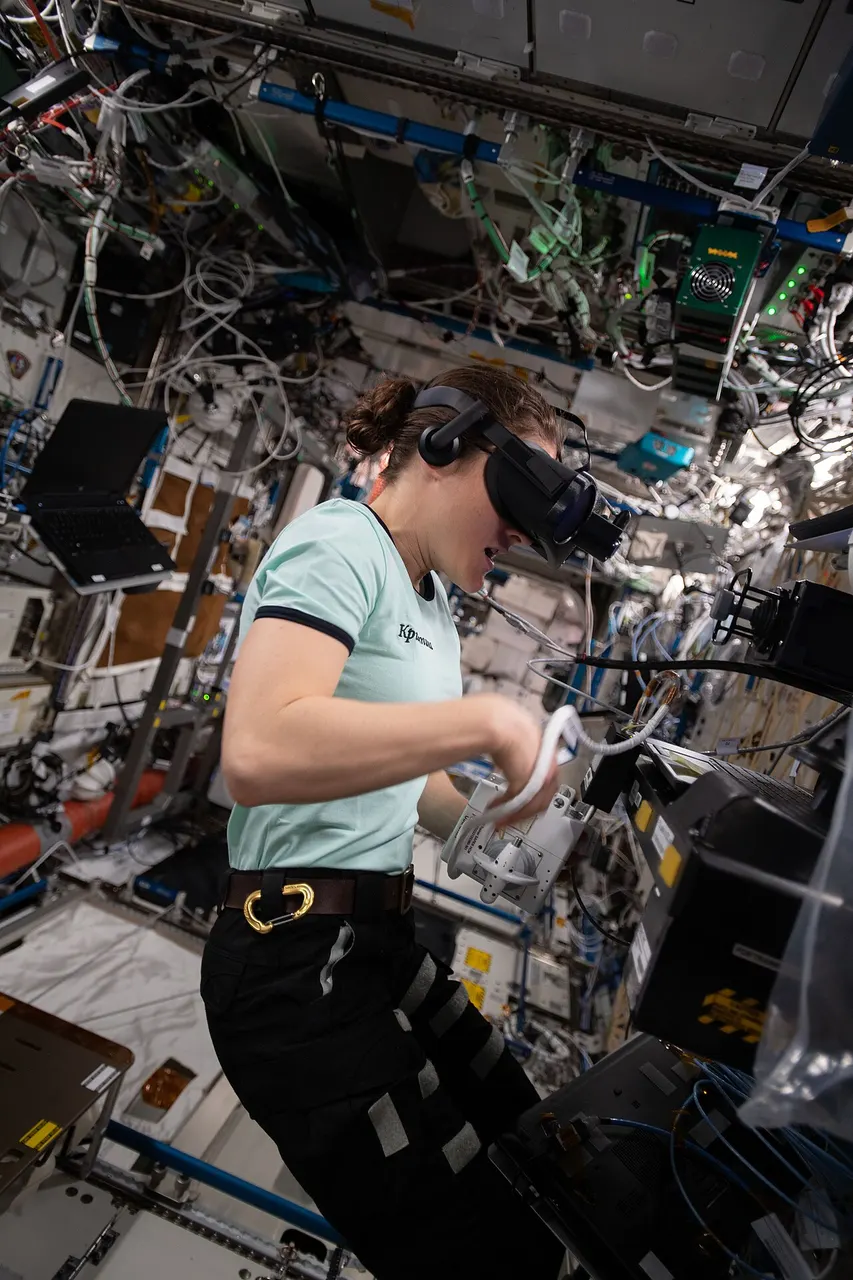
Understanding Flight Simulator Audio Systems
Modern flight simulators produce complex audio from multiple sources requiring balancing.
- Engine audio typically dominates simulation soundscapes. Simulators model engine sounds based on power settings, RPM, and other parameters. Quality varies between simulators and between aircraft within simulators. Third-party aircraft often include enhanced audio compared to default aircraft.
- Environmental audio includes wind noise, precipitation, and ambient sounds. Wind noise increases with airspeed and may vary by aircraft configuration. Rain on canopy, thunder from storms, and airport ambient sounds all contribute to environmental realism.
- Cockpit sounds encompass switch clicks, system operation sounds, warning tones, and ambient cockpit noise. Quality cockpit audio significantly enhances procedural immersion—hearing switches click when you operate them reinforces the connection between action and aircraft response.
- Radio communication audio comes through different channels than environmental sound. Simulators typically model radio audio quality, including the compressed, crackly characteristics of actual aviation radio.
- Music and ATC (where applicable) add additional audio layers. Some users enjoy background music during relaxed flights; built-in or add-on ATC systems provide communication audio.
Configuring Windows Audio Settings
Proper Windows configuration ensures your flight simulator receives optimal audio output.
Default audio device selection:
- Right-click the speaker icon in system tray.
- Select "Sound settings."
- Under Output, ensure your headset is selected as default device.
- Under Input, ensure your headset microphone is selected for communication.
Audio format configuration:
- In Sound settings, click "Sound Control Panel" (or access via Control Panel).
- Select your playback device, click Properties.
- Under Advanced tab, select appropriate format (typically 24-bit, 48 kHz or higher).
- Disable audio enhancements that might interfere (under Enhancements tab).
Spatial audio settings:
Windows offers spatial audio options including "Windows Sonic for Headphones" (free) and "Dolby Atmos for Headphones" (paid subscription). These process stereo output to simulate surround sound through headphones.
For flight simulation:
- Some users appreciate spatial audio for environmental immersion.
- Others prefer direct stereo output for accuracy.
- Experiment to determine your preference.
- Ensure your simulator isn't also applying surround processing (double processing can degrade quality).
Microphone settings for VATSIM and similar:
- In Sound settings, select your microphone under Input.
- Adjust input level to appropriate sensitivity.
- Consider enabling noise suppression if available.
- Test in VATSIM or Discord to verify clarity.
Microsoft Flight Simulator Audio Configuration
MSFS provides extensive audio options for customization.
Accessing audio settings:
- From main menu, select Options.
- Navigate to Sound section.
- Review and adjust available settings.
Key settings to configure:
- Master volume: Overall simulation audio level.
- Engine: Relative engine sound volume.
- Cockpit: Systems and ambient cockpit sounds.
- Environment: Wind, weather, and external sounds.
- UI: Interface sounds and notifications.
- Copilot: AI assistant voice volume.
- ATC: Air traffic control communication volume.
Balancing priorities:
For realistic operation, consider:
- Engine sounds loud enough to monitor but not overwhelming.
- Cockpit sounds audible for procedural feedback.
- ATC volume sufficient for clear communication.
- Environment providing immersion without obscuring important sounds.
Communication clarity:
If using VATSIM or PilotEdge:
- Reduce in-sim ATC volume or disable built-in ATC.
- Ensure VATSIM client audio doesn't conflict with simulator audio.
- Test balance before connecting to live networks.
X-Plane Audio Configuration
X-Plane handles audio somewhat differently than MSFS.
Native audio settings:
- Access Settings from main menu.
- Navigate to Sound section.
- Adjust individual sound categories.
Category adjustments:
- Master volume: Overall level.
- Aircraft sounds: Engine and systems.
- Environment: Wind, weather.
- ATC: Built-in ATC system.
- Music: If using background music features.
Third-party aircraft considerations:
Many third-party X-Plane aircraft include custom sound packages with their own volume controls accessible through aircraft-specific menus. Check aircraft documentation for audio adjustment options.
Using Audio Enhancement Software
Beyond simulator settings, additional software can enhance audio experience.
Headset manufacturer software:
Many gaming headsets include companion software (Logitech G Hub, HyperX NGENUITY, SteelSeries GG) offering:
- Equalizer adjustments for custom sound profiles.
- Microphone processing and noise reduction.
- Surround sound virtualization controls.
- Custom audio profiles for different applications.
Creating a "Flight Simulation" profile optimized for your preferences allows quick switching when launching your simulator.
Third-party equalizers:
Applications like Equalizer APO (free) provide system-wide EQ adjustment:
- Boost frequencies you want emphasized.
- Reduce frequencies causing fatigue.
- Create profiles for different activities.
- Fine-tune beyond headset software capabilities.
Spatial audio applications:
Beyond Windows Sonic and Dolby Atmos:
- DTS Headphone:X offers surround virtualization.
- Various gaming-focused spatial audio solutions exist.
- Effectiveness varies by headset and personal preference.
Balancing Audio for Different Flight Activities
Different simulation activities may benefit from different audio configurations.
VFR sightseeing flights:
- Environmental sounds prominent for immersion.
- Engine sounds moderate.
- ATC lower priority (may be flying uncontrolled).
- Music acceptable if desired.
IFR procedure practice:
- ATC communication priority.
- Engine sounds moderate for monitoring.
- Environmental reduced to minimize distraction.
- Cockpit sounds enabled for procedure feedback.
Online network flying (VATSIM):
- VATSIM audio priority over in-sim sounds.
- Engine reduced enough to hear communications clearly.
- Quick access to volume adjustment for busy radio situations.
- Microphone quality focus for clear transmission.
Emergency procedure practice:
- Warning sounds enabled and clearly audible.
- Engine sounds at realistic levels.
- Environmental sounds providing context.
- System sounds for feedback on actions.
Creating saved profiles for different activity types enables quick reconfiguration as your flying focus changes.
Can a Gaming Headset Improve Your Flight Simulator Experience?

Gaming Headsets vs. Aviation Headsets
Understanding how these product categories differ helps clarify which serves your needs.
Gaming headset characteristics:
- Sound profile: Often enhanced bass and treble for gaming impact.
- Frequency response: Full range reproduction for diverse game audio.
- Comfort design: Optimized for 2-4 hour gaming sessions.
- Microphone: Quality varies widely; designed for voice chat.
- Features: RGB lighting, surround sound, software integration.
- Price range: $30-400 typical.
- Aesthetic: Gaming-oriented design language.
Aviation headset characteristics:
- Sound profile: Optimized for voice frequency clarity.
- Noise reduction: Active noise cancellation for loud cockpits.
- Frequency response: May intentionally limit range for communication focus.
- Comfort design: Optimized for 8+ hour flights.
- Microphone: High-quality boom mics optimized for cockpit noise.
- Features: TSO certification, Bluetooth connectivity, battery backup.
- Price range: $300-1,200 typical.
- Aesthetic: Professional aviation appearance.
Which serves simulation better?
For most simulation users, gaming headsets provide better value:
- Fuller frequency response captures simulation audio richness.
- Lower pricing enables quality purchase within typical budgets.
- Features like surround sound enhance immersion.
- Adequate microphone quality for online networks.
Aviation headsets suit specific use cases:
- Actual pilots wanting consistent equipment between real and simulated flight.
- Users particularly sensitive to noise wanting best-in-class ANC.
- Those valuing aviation aesthetic authenticity.
- Users with aviation headsets already owned.
Features to Look for in Gaming Headsets for MSFS
Selecting gaming headsets for simulation involves slightly different priorities than pure gaming.
Sound quality priorities:
- Clear midrange: Most simulation audio lives here; critical for realism.
- Controlled bass: Enhanced but not overwhelming; supports engine rumble.
- Detailed treble: Environmental sounds and radio crackle; avoid harshness.
- Good imaging: Spatial positioning for environmental awareness.
Comfort features:
- Lightweight construction: Under 350g preferred for extended wear.
- Breathable materials: Prevents heat buildup during long sessions.
- Memory foam cushions: Conforms to face shape; maintains comfort.
- Adjustable headband: Proper fit reduces pressure points.
- Rotating or removable ear cups: Allows single-ear listening when needed.
Microphone requirements:
- Noise cancellation: Reduces transmission of background sounds.
- Cardioid pattern: Focuses on voice while rejecting side noise.
- Clear reproduction: Intelligible transmission quality.
- Flexible positioning: Boom adjustment for optimal placement.
- Mute function: Quick mute for away-from-mic moments.
Practical features:
- In-line or on-cup controls: Volume adjustment without leaving cockpit.
- Detachable cable: Replacement if damaged; easier storage.
- Cross-platform compatibility: Works with various devices if needed.
- Software support: EQ adjustment and profile management.
Wireless vs. Wired: Which is Better for Flight Sim?
This perennial debate has nuanced answers for flight simulation specifically.
Wired advantages for simulation:
- Consistent quality: No wireless compression or interference.
- No battery concerns: Never runs out mid-flight.
- Lower latency: Though modern wireless latency is typically imperceptible.
- Often lower cost: Wireless technology adds to price.
- Simpler operation: No charging, no pairing, no connection drops.
Wireless advantages for simulation:
- Cable freedom: No tangles with yoke, throttle, or other controls.
- Movement flexibility: Useful for complex cockpit setups.
- Cleaner aesthetic: No cable routing through cockpit.
- VR compatibility: Easier integration with VR headsets.
- Multi-use convenience: Walk away without disconnection.
Practical considerations:
Flight simulation typically involves relatively stationary positioning—you're seated at your cockpit throughout. The mobility advantage of wireless matters less than in gaming where players might move physically. However, freedom from cables tangling with flight controls has genuine value.
Recommendation:
- Wired: Default recommendation for simplicity and value.
- Wireless: Choose if cable management is problematic or if you value convenience highly.
- Both options viable: Modern wireless quality eliminates meaningful quality penalty.
Top Gaming Headset Recommendations for Flight Simulation
Specific products earning simulation community approval:
Best overall value: HyperX Cloud II (~$100)
The Cloud II's combination of comfort, sound quality, microphone performance, and build quality at $100 makes it the default recommendation for most simulation users. The included USB sound card ensures consistent quality regardless of system audio hardware.
Best wireless: SteelSeries Arctis 7+ (~$170)
Among wireless options at reasonable prices, the Arctis 7+ offers good sound quality, excellent comfort through the ski goggle headband design, clear microphone performance, and reliable connectivity with minimal latency.
Best microphone quality: Logitech G Pro X (~$130)
For users prioritizing VATSIM communication quality, the G Pro X's Blue Voice technology and noise rejection provide notably clear transmission. Sound quality and comfort also rate highly.
Best premium gaming: Audeze Maxwell (~$300)
For users with larger budgets seeking gaming headset convenience with audiophile-grade sound, the Maxwell's planar magnetic drivers provide audio quality fundamentally superior to typical gaming headsets.
Best budget: HyperX Cloud Stinger (~$50)
When budget is the primary constraint, the Cloud Stinger provides acceptable quality for simulation while remaining affordable. Sound and comfort both exceed typical expectations at this price point.
Setting Up Your Headset for Microsoft Flight Simulator
Step-by-Step Headset Setup in MSFS
Proper configuration ensures your headset performs optimally with MSFS.
Initial connection:
- Connect headset via USB or audio cable before launching MSFS.
- Allow Windows to recognize device and install any drivers.
- Verify headset appears as audio device in Windows settings.
- Set as default playback and recording device if desired.
MSFS audio configuration:
- Launch Microsoft Flight Simulator.
- Navigate to Options > Sound.
- Verify correct output device is selected.
- Adjust volume levels to comfortable starting points.
- Configure individual sound category levels per preference.
Testing configuration:
- Start a flight at a familiar airport.
- Listen for engine startup sounds.
- Verify environment sounds (wind, ambient).
- Test radio if applicable.
- Adjust levels based on actual perception.
Microphone setup (for VATSIM users):
- Configure microphone in Windows settings.
- Set appropriate input level (speak at normal volume, adjust until indicator shows appropriate level without peaking).
- Download and install vPilot or other VATSIM client.
- Configure client audio settings for your headset.
- Perform radio check with VATSIM to verify transmission quality.
Common Setup Issues and How to Fix Them
Troubleshooting frequent problems gets you flying faster.
No audio from headset:
- Verify Windows default device is correctly set.
- Check physical connections (USB properly seated, cables connected).
- Confirm MSFS output device matches your headset.
- Check master volume levels in Windows and MSFS.
- Try different USB port if using USB headset.
- Restart MSFS after making changes.
Poor sound quality:
- Update audio drivers (for motherboard audio or USB headset).
- Check sample rate settings in Windows (try different rates).
- Disable unnecessary audio enhancements.
- Verify EQ settings aren't causing issues.
- Try disabling spatial audio temporarily.
- Check for electromagnetic interference (move cables away from power sources).
Microphone not working:
- Verify microphone is default recording device in Windows.
- Check physical mute switch on headset.
- Ensure input level is set appropriately (not too low).
- Verify VATSIM client is configured for correct input device.
- Test microphone in Windows Sound settings.
- Some headsets require USB connection for microphone (even if audio works via analog).
Audio latency/delay:
- Reduce audio buffer size in sound card settings if available.
- Disable unnecessary audio processing.
- Update audio drivers to latest version.
- Try different connection method (USB vs. analog).
- Check for system resource conflicts.
Crackling or popping sounds:
- Update audio drivers.
- Increase audio buffer size if setting is available.
- Check for CPU overload (close unnecessary applications).
- Try different USB port or audio cable.
- Check for damaged cables or connections.
Integrating with VATSIM and Online Networks
Proper audio setup is essential for productive online flying.
VATSIM client configuration:
- Download and install vPilot (or alternative client).
- Launch vPilot and access audio settings.
- Select your headset as output device.
- Select your headset microphone as input device.
- Adjust input level using built-in test functionality.
- Configure PTT (push-to-talk) key binding.
Audio balancing with VATSIM:
The challenge: hearing VATSIM communications clearly while maintaining simulation immersion.
Approaches:
- Reduce MSFS engine/environment volumes when connected to VATSIM.
- Use vPilot volume controls to ensure appropriate VATSIM level.
- Create separate audio profile for online flying.
- Consider audio mixer software for independent level control.
Testing before live connections:
Before connecting to live VATSIM:
- Connect to VATSIM using observer mode or at quiet airport.
- Listen to existing communications to verify reception.
- Find willing controller or pilot to perform radio check.
- Adjust levels based on actual network audio.
- Verify your transmissions are clear (ask for feedback).
PilotEdge considerations:
PilotEdge offers guaranteed controller coverage for subscription:
- Similar audio setup to VATSIM.
- Subscription ensures consistent controller availability for practice.
- Good option for learning radio communication.
Integrating with Other Cockpit Peripherals
Your headset must coexist with other simulation equipment.
Cable management with flight controls:
- Route headset cables away from yoke rotation path.
- Ensure cables don't interfere with throttle operation.
- Consider cable management clips or channels.
- Wireless eliminates these concerns entirely.
VR integration:
If using VR headset:
- Some VR headsets include integrated audio (often adequate but not premium).
- Separate headphones can fit over or under VR headset (depending on designs).
- In-ear monitors fit easily with VR.
- Wireless headsets reduce cable complexity.
- Audio routing may require specific configuration.
Button box and panel integration:
If using external switch panels:
- Some panels may produce audio feedback.
- Route panel audio through same system as headset.
- Verify audio routing doesn't create conflicts.
Multi-monitor considerations:
Audio routing typically unaffected by multi-monitor:
- Verify HDMI/DisplayPort isn't routing audio away from headset.
- Some monitors have speakers that may be selected as default.
- Ensure correct output device in all relevant software.
Creating an Immersive Audio Environment
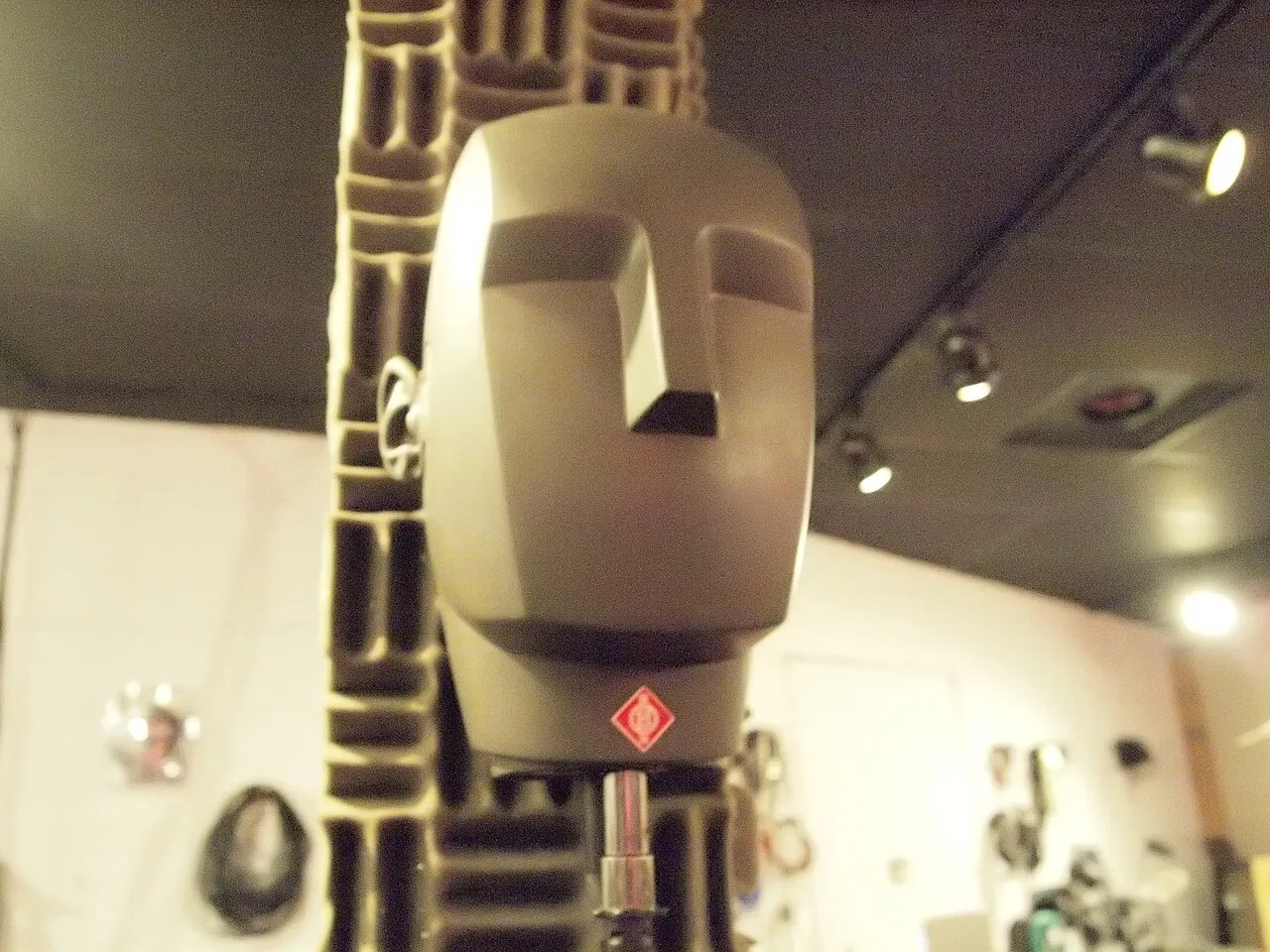
Enhancing ATC Communication Quality
Clear communication enhances both realism and practical network participation.
Microphone positioning:
- Position boom microphone near corner of mouth.
- Maintain consistent distance for consistent volume.
- Angle slightly away to reduce breath sounds.
- Adjust as needed based on transmission feedback.
Noise reduction techniques:
- Use headset's noise-canceling microphone capabilities.
- Enable software noise suppression in VATSIM client.
- Reduce ambient room noise when possible.
- Consider physical noise isolation for your simulation space.
Communication clarity habits:
- Speak clearly at moderate pace.
- Use standard phraseology consistently.
- Listen before transmitting to avoid stepping on others.
- Adjust input level if feedback indicates problems.
Equipment for best communication:
Headsets with quality microphones improve transmission:
- Noise-canceling boom microphones reject ambient noise.
- Cardioid pickup patterns focus on your voice.
- Software processing can enhance clarity further.
Simulating Realistic Cockpit Sound Environment
Creating convincing cockpit audio involves multiple elements.
Cockpit ambiance:
Quality aircraft add-ons include ambient cockpit sounds:
- Cooling fan noise.
- Avionics hum.
- Environmental noise through structure.
- System operation sounds.
Default aircraft may lack this detail; third-party aircraft often excel here.
System sounds:
Procedural realism benefits from system audio:
- Switch clicks when operating controls.
- System activation sounds.
- Warning tones and alerts.
- Autopilot disconnect sounds.
Engine sound quality:
Engine audio quality varies significantly:
- Default aircraft: Adequate but basic.
- Freeware aircraft: Highly variable.
- Quality payware: Often excellent engine audio.
- Sound packs: Some aircraft support aftermarket sound improvements.
Weather sounds:
Environmental audio enhances weather immersion:
- Rain on canopy.
- Thunder from storms.
- Wind intensity variation.
- Turbulence effects.
Using Spatial Audio Effectively
Spatial audio technology can enhance simulation immersion when used appropriately.
What spatial audio provides:
- Directional positioning: Sounds appear to come from specific directions.
- Distance perception: Near and far sounds feel appropriately placed.
- Environmental sense: Creates feeling of space around you.
Spatial audio options:
- Windows Sonic for Headphones: Free, built into Windows.
- Dolby Atmos for Headphones: Subscription-based, often considered superior.
- DTS Headphone:X: Alternative spatial solution.
- Headset-specific processing: Some headsets include proprietary solutions.
Configuration for simulation:
- Enable spatial audio in Windows Sound settings.
- Disable duplicate processing in simulator (avoid double-processing).
- Test to verify improvement in your perception.
- Disable if it creates artificial-sounding results.
When spatial audio helps:
- Traffic awareness (hearing aircraft positions).
- Environmental immersion (wind direction, etc.).
- General sense of 3D space in simulation.
When to disable:
- If sound becomes artificially processed.
- If causing audio artifacts or quality issues.
- If you prefer direct stereo presentation.
- If processing adds unwanted latency.
Advanced Audio Techniques
Enthusiasts seeking maximum audio immersion can explore additional approaches.
Separate communication and simulation audio:
Using two audio devices:
- Headset for VATSIM/communication.
- Speakers for simulation audio.
- Provides separation and independent control.
- Complex to configure but offers flexibility.
Bass shakers and tactile transducers:
Physical vibration devices attached to seat or cockpit:
- Provide physical sensation of engine vibration.
- Create rumble during takeoff and turbulence.
- Add dimension beyond audio alone.
- Products like ButtKicker or Dayton Audio transducers.
Dedicated audio interfaces:
External USB audio interfaces provide:
- Higher quality DACs than typical sound cards.
- Multiple input/output options.
- Professional-grade audio processing.
- Improved signal quality.
Active noise cancellation considerations:
ANC headsets reduce external noise:
- Enhances immersion by isolating simulation audio.
- Useful in noisy environments.
- Some ANC affects audio quality (varies by product).
- Battery requirements for ANC function.
Headsets and VR Flight Simulation

Audio Challenges in VR
Virtual reality flight simulation presents unique audio considerations.
Integrated VR audio:
Most VR headsets include built-in speakers or earphones:
- Convenience: No additional equipment needed.
- Quality varies: Ranges from adequate to excellent depending on headset.
- Comfort: Designed to work with VR headset.
Using separate headphones with VR:
For improved audio quality:
- Over-ear headphones may fit over VR headset (design dependent).
- On-ear headphones typically easier to fit.
- In-ear monitors work well with VR.
- Cable management becomes more complex.
Spatial audio importance in VR:
VR benefits particularly from spatial audio:
- Visual 3D matched by audio 3D enhances presence.
- Directional audio cues complement head tracking.
- Most VR platforms include spatial processing.
Headphone Recommendations for VR Flight Simulation
Specific considerations for VR audio equipment:
Using VR headset's integrated audio:
For most users, built-in audio provides adequate quality:
- Test your VR headset's audio before purchasing separate equipment.
- Higher-end VR headsets (Valve Index, Quest Pro) have good integrated audio.
- Budget VR headsets may benefit from external audio upgrade.
External options compatible with VR:
- Koss Porta Pro: Lightweight on-ear; fits easily with VR; good sound.
- Quality IEMs: In-ear monitors work perfectly with any VR headset.
- Koss KSC75: Ear-clip design; lightweight; VR-friendly.
- Audio-Technica ATH-M50x: Over-ear that may fit over smaller VR headsets.
Wireless considerations:
Wireless audio particularly valuable for VR:
- Eliminates cable tangle with VR cable.
- Wireless adapters available for wired headphones.
- Bluetooth may have latency issues; 2.4GHz preferred.
Configuring Audio for VR Flight
Proper VR audio setup maximizes immersion.
Audio routing:
- Determine whether using VR integrated audio or external headphones.
- Configure Windows audio to correct output device.
- Set MSFS (or other simulator) to use correct audio device.
- VR software may have separate audio routing settings.
MSFS VR audio considerations:
- Verify audio device settings apply correctly in VR mode.
- Some users report different audio routing between flat and VR.
- Test audio before committing to long VR session.
Communication in VR:
VATSIM while in VR:
- Microphone routing may need specific configuration.
- Some VR headsets include microphones; quality varies.
- External microphone may provide better communication quality.
- Practice accessing volume controls without removing VR headset.
Maintaining Your Audio Equipment
Care and Longevity Tips
Proper care extends equipment lifespan.
Storage practices:
- Store headset on stand or in case when not in use.
- Avoid hanging by cable (stresses connection).
- Keep away from extreme temperatures.
- Protect from dust accumulation.
Cleaning recommendations:
- Wipe ear cushions regularly with slightly damp cloth.
- Clean headband padding periodically.
- Remove debris from microphone ports with compressed air.
- Follow manufacturer cleaning guidance.
Cable care (for wired headsets):
- Avoid tight bends in cables.
- Don't wind cables tightly for storage.
- Disconnect by pulling plug, not cable.
- Replace damaged cables promptly (if detachable).
Battery maintenance (for wireless headsets):
- Avoid complete discharge when possible.
- Store partially charged if not using for extended periods.
- Keep charging contacts clean.
- Replace battery when capacity significantly degrades.
When to Upgrade Your Audio Equipment
Knowing when upgrades provide value helps manage resources.
Signs indicating potential upgrade benefit:
- Comfort issues during typical session length.
- Sound quality no longer satisfies.
- Microphone quality inadequate for communication needs.
- Physical deterioration affecting function.
- Features desired that current equipment lacks.
Upgrade priorities:
When upgrading, consider what matters most:
- Comfort: Often worth premium investment.
- Sound quality: Diminishing returns at higher prices.
- Microphone: Critical for online network users.
- Build quality: Investment in longevity.
- Features: Value wireless, controls, software?
Budget allocation guidance:
For flight simulation audio:
- $100-150 provides excellent quality/value balance.
- $200-300 reaches diminishing returns for most users.
- $300+ justified for audiophiles or specific requirements.
Conclusion: Building Your Simulation Soundscape
Audio equipment forms an essential component of immersive flight simulation, deserving thoughtful consideration alongside visual displays and flight controls. The right headset enhances every simulation session through convincing environmental sound, clear communication capability, and comfort that supports extended flying.
For most simulation users, mid-range gaming headsets provide the best balance of quality, features, and value. Products like the HyperX Cloud II offer sound quality, comfort, and microphone performance that serve simulation well at reasonable prices. These headsets deliver genuine improvements over basic equipment without requiring premium investment.
Communication focus should guide selection for online network participants. Clear microphone quality ensures effective VATSIM or IVAO participation. Headsets emphasizing communication clarity provide value beyond sound quality alone.
Comfort priority acknowledges that flight simulation involves extended sessions. Equipment comfortable for gaming sessions of 1-2 hours may prove inadequate for 4-hour simulation flights. Evaluating comfort specifically for your expected session lengths prevents disappointing purchases.
Proper configuration maximizes whatever equipment you choose. Taking time to optimize Windows settings, simulator audio options, and any headset software ensures your equipment performs at its best. Many users never explore configuration options that could significantly improve their experience.
Integration awareness ensures your audio solution works within your broader cockpit setup. Cable routing, VR compatibility, and communication software integration all affect practical usability beyond pure audio quality.
Whether you're assembling your first simulation setup or upgrading existing equipment, quality audio enhances every flight. The ambient sounds of startup, the wind building during acceleration, the crackle of radio communications—these elements create the immersive experience that makes flight simulation compelling. Invest appropriately in your audio environment, and every flight benefits from that investment.
Clear skies and clear audio for all your flights ahead.
Additional Resources
For those seeking additional information about flight simulation audio and equipment, these resources provide valuable guidance:
- RTings Headphone Reviews offers comprehensive, objective headphone testing with detailed measurements and comparisons useful for evaluating simulation audio equipment.
- VATSIM Audio Guide provides specific guidance for configuring audio equipment for online network flying, including microphone setup and testing procedures.
- AeroSimulations offers flight simulation accessories and audio solutions tailored for the sim community.